Effortless logging
Point, shoot, done.
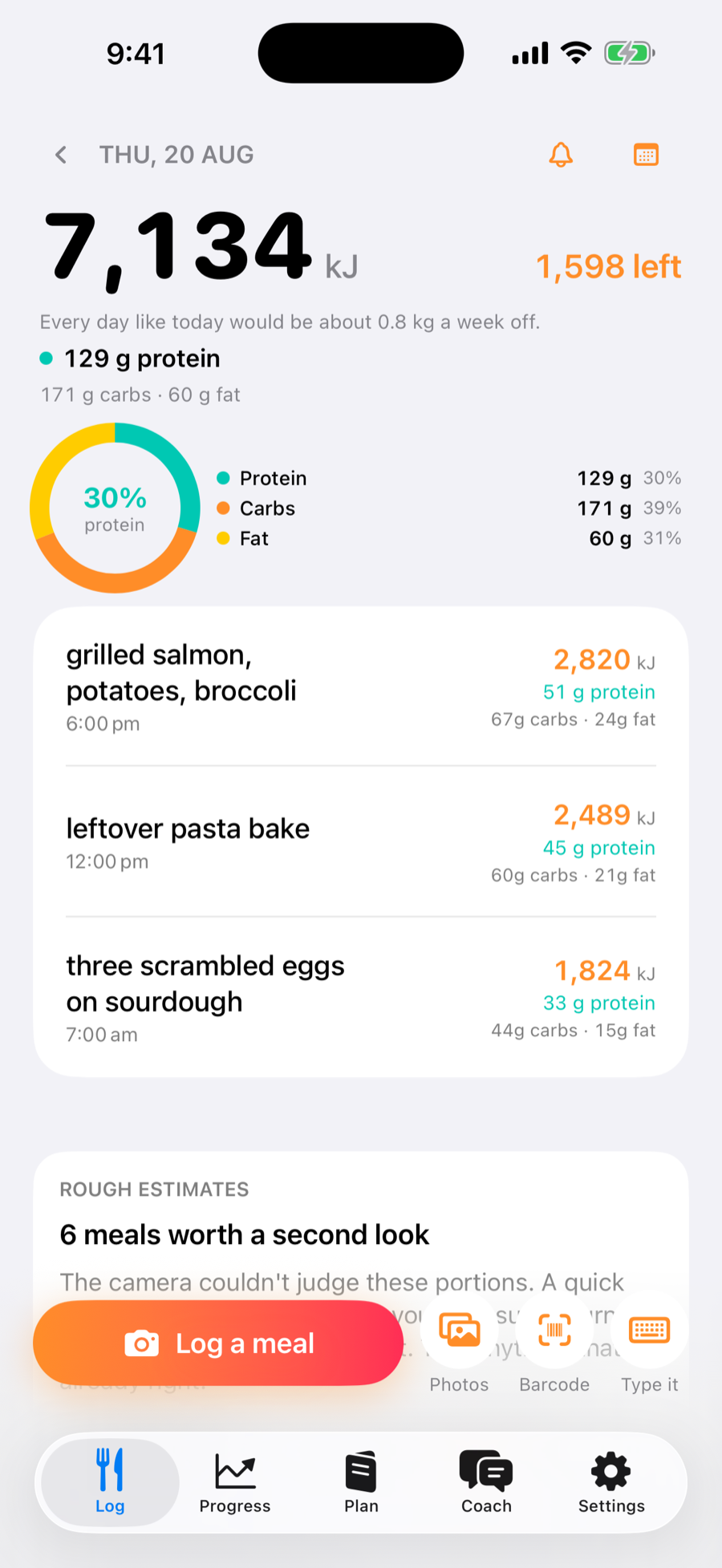
Photograph a meal and Cut estimates its calories, protein, carbs and fat in seconds. Review every number before it counts towards your weight-loss target.
Calorie and macro tracking for weight loss
Cut estimates calories, protein, carbs and fat from your food photos, tracks them against a daily weight-loss target, and adjusts that target from your real progress.
What Cut does
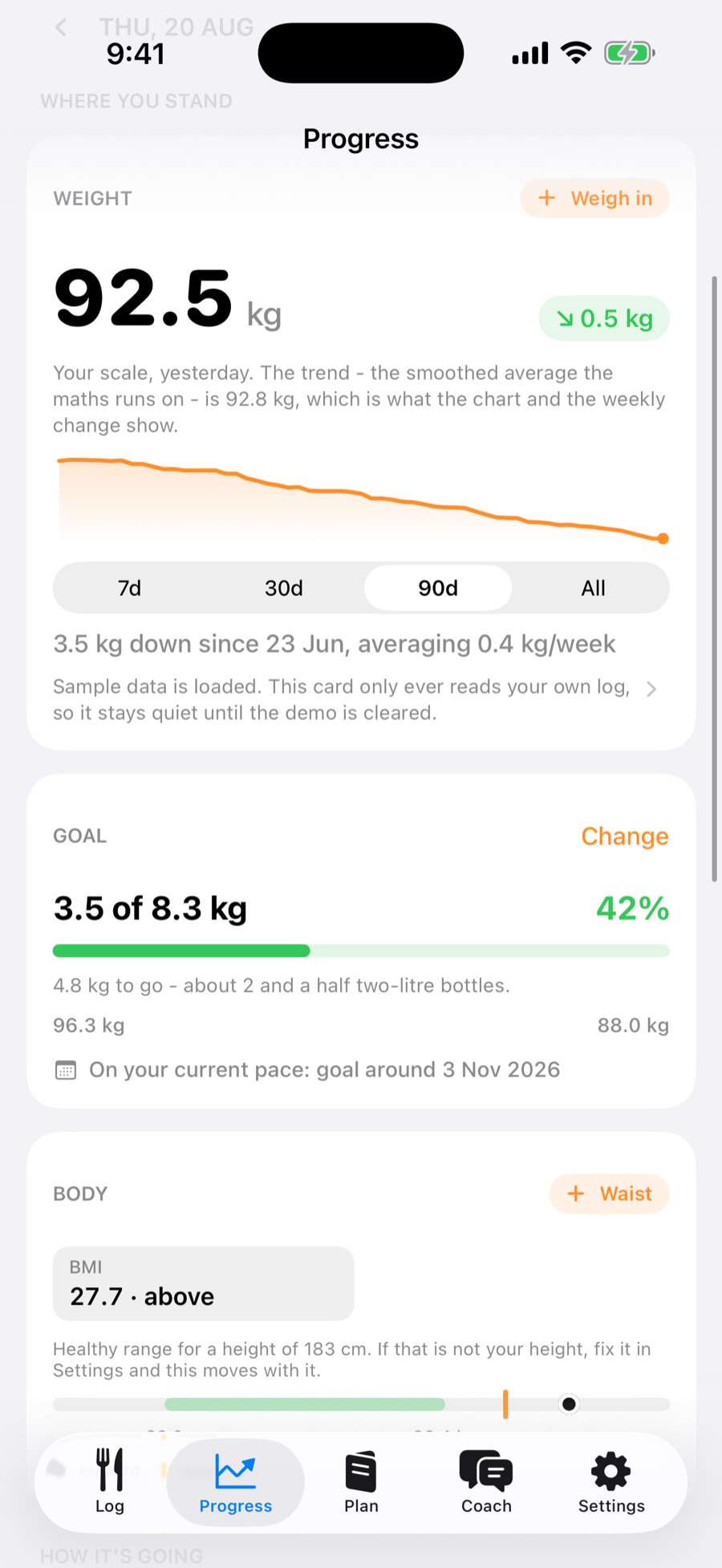
See the calories and macros in each meal, understand where you stand today, and follow a target that adapts as your weight changes.
Effortless logging
Photograph a meal and Cut estimates its calories, protein, carbs and fat in seconds. Review every number before it counts towards your weight-loss target.
Measured burn
Cut learns maintenance calories from what you ate against how your smoothed weight trend moved.
Personal coach
Ask why the trend stalled, how protein is going or what fits tonight. Thin data is called thin.
Kitchen planning
Photograph the fridge, get options that fit the day, then turn weekly gaps into a shopping list.
Apple ecosystem
Use Apple Watch, Home and Lock Screen widgets, Siri, Shortcuts, the Action button or share a photo straight from Photos.
How Cut works
Two weeks of ordinary logging is all it takes. You do the first two steps. Cut does the third.
You
Point the camera at the plate and Cut names the food and estimates calories, protein, carbs and fat in a few seconds. Every figure is editable before you save, and it tells you when it is unsure rather than guessing quietly. Packaged food scans by barcode, and anything you eat often re-logs in one tap.
Takes about 5 seconds a meal
You
Weigh in whenever suits, from the phone or straight from your Apple Watch. Day to day your weight swings on water, salt and sleep by more than the fat you actually lose, so Cut never shows that raw number as the headline. It shows the smoothed trend underneath it, and only the trend feeds the maths.
A few seconds most mornings
Cut
What you ate, set against how your trend moved, is enough to solve for your real maintenance calories. No age and height guess, no activity dropdown. Cut re-fits that figure as new days arrive and moves your target with it, and you can open the working at any time to see the days it used and how confident it is.
Updates daily once it has enough data
The difference
Traditional trackers estimate your burn from age, height and an activity dropdown, then leave you with the same generic number. Cut compares what you ate with how your weight trend moved, then adjusts the target around your real results.
mean intakeminustrend weight change
Designed with a point of view
Every estimate carries confidence and source information. Rough guesses are shown before the numbers, not buried beneath them.
No cheating, earning or burning food off. Going over target is information, and the app explains what it actually means.
No Cut account, advertising profile or analytics trail in the app. Your diary lives locally and in your private iCloud database.
Fair by design
The adaptive tracking system is free forever. Pro pays for the AI calls that create estimates, coaching and plans.
Cut Free
$0forever
Cut Pro
Monthly or yearlyreal App Store prices, shown before purchase
No countdowns, fake discounts or hidden free tier. Subscriptions renew through Apple until cancelled in Settings.
Questions, answered
Cut helps you lose weight by showing what is in your meals, keeping calories and protein visible through the day, and giving you a daily calorie target that adapts from your logged intake and weight trend.
Useful, reviewable and honest about when it is unsure. Every estimate carries a confidence figure, low-confidence guesses are flagged before the numbers, and every field can be corrected. Consistent logging matters more than pretending a camera can see every gram of oil.
About a fortnight of reasonably consistent meals and weigh-ins. Until then Cut uses a standard formula and labels it as a fallback rather than presenting a guess as a personal measurement.
Only when you ask Cut to estimate one. A downscaled copy is sent securely to Anthropic through Cut's relay for that response. The relay does not keep it. The copy attached to your meal stays in your local and private iCloud diary.
Not to set your target. Wrist estimates carry their own error, while the weight-trend method already captures the energy your body used. Steps, workouts and sleep appear as context instead.
When iCloud is available, Cut syncs through your private CloudKit database under your Apple Account. Sign in on the replacement phone and the diary can return. Without iCloud, the app works locally and makes that status clear.
Weight loss with less guesswork
Estimate meals in seconds, review your macros and follow a calorie target that learns from your progress.
Download Cut on the App Store iPhone and Apple Watch. No Cut account required.